Mechanical vs Membrane Keyboards: Which Should You Buy?
Get a mechanical keyboard if you game, write code or type for hours and want a crisp press on a board that lasts a decade. Get a membrane keyboard if you need a quiet, low-cost board for email, browsing and the occasional document. That settles it for most people choosing between a mechanical or membrane keyboard. The rest comes down to three things: how much noise you and the people around you can tolerate, your budget, and the games or work you do each day. The table gives you the short version, and the use-case section at the end tells you what to buy.
Mechanical vs Membrane at a Glance
The difference between mechanical and membrane keyboard designs sits under the keycaps, and it affects feel, noise, lifespan and price.
| Criterion | Mechanical | Membrane |
| Mechanism | A separate switch with a spring under each key | Rubber domes over a shared contact sheet |
| Typing feel | Crisp and consistent; linear, tactile or clicky | Soft and a little mushy |
| Key travel | About 4 mm; registers at about 2 mm | 3–4 mm; most people press to the bottom |
| Noise | Quiet to loud, depending on the switch | Quiet |
| Lifespan | 50–100 million presses per switch | 5–10 million presses per key |
| Repair | Replace a single keycap or switch | Replace the whole keyboard in most cases |
| Key rollover | Full N-key rollover on most models | 2–6 simultaneous keys on many models |
| Spill resistance | Lower, since the switches are open | Higher on models with a sealed sheet |
| Customization | Keycaps, switches, layouts, lighting | Limited |
| Price | From about €35–50 | From about €10–15 |
| Best for | Gaming, programming, heavy typing | Office, budget setups, shared rooms |
How Each Keyboard Type Actually Works
A membrane keyboard stacks three thin plastic layers under the keys. The top and bottom layers carry printed circuits, and the middle layer keeps them apart. Rubber domes sit on top of this membrane sheet. Press a key, and the dome collapses and pushes the top layer through a hole in the middle one until the two contacts touch. Most laptop keyboards use a variant of this design, adding a scissor mechanism to keep each key stable.
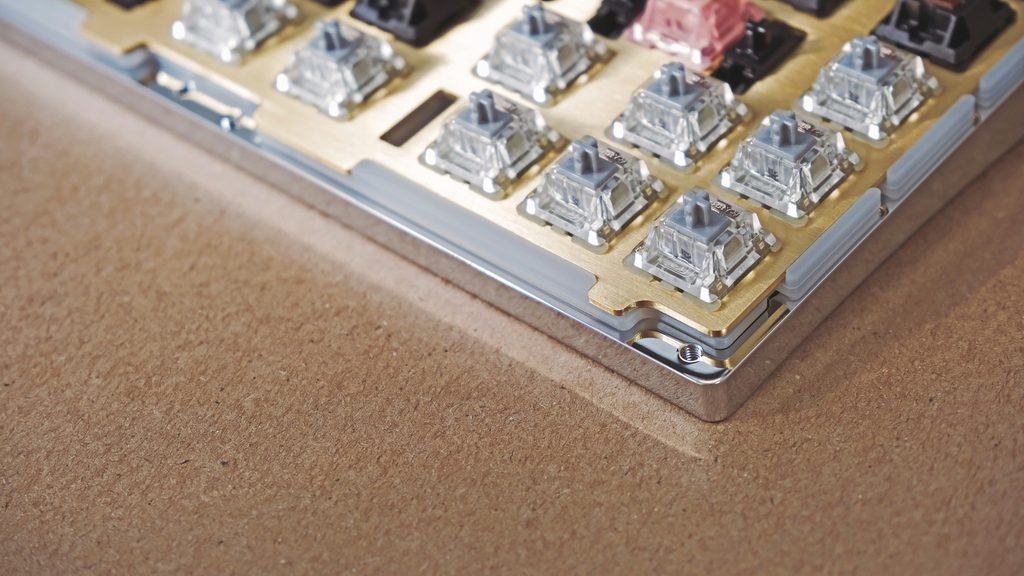
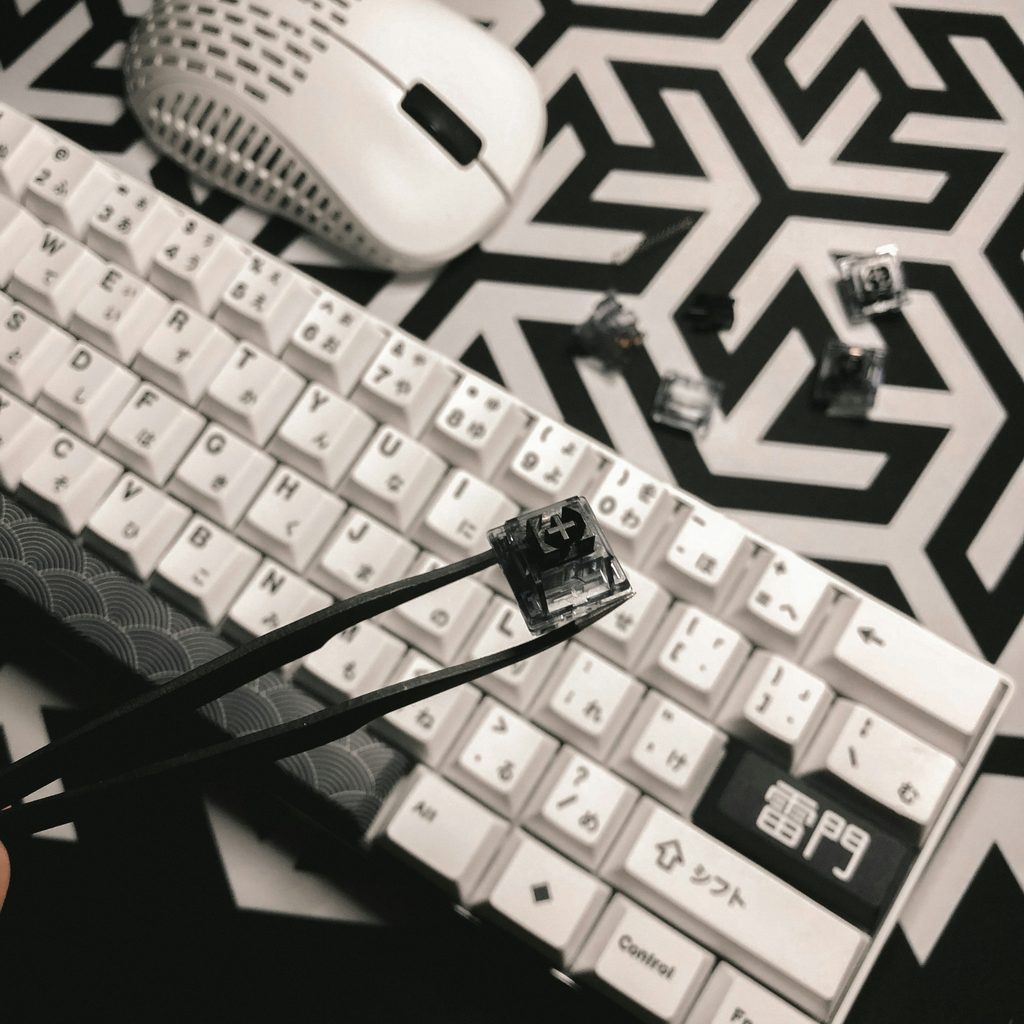
Open up a mechanical board and you’ll see what a mechanical keyboard does differently. Every key has its own mechanical switch: a small housing with a stem, a spring and two metal contacts. The stem closes the contacts partway through the press, at around 2 mm, and the spring pushes the key back up. Change the spring or the shape of the stem, and you change the feel. Manufacturers group switches into three families:
- Linear (often red). The stroke stays smooth from top to bottom, with no bump and no click. Gamers like a linear switch for fast repeated presses.
- Tactile (often brown). A small bump at the actuation point gives you tactile feedback, so your finger knows the key registered before it reaches the bottom.
- Clicky (often blue). You get the same bump plus an audible click. A clicky switch feels satisfying to type on, and anyone sitting nearby hears every press.
Colour names vary between brands. Check the switch type and actuation force in grams on the spec sheet before you buy.
Typing Feel and Sound
Typing feel drives most people to switch. On a membrane keyboard, the rubber dome gives you little signal about the moment a key registers, so you press each key all the way down. Typists call this habit bottoming out. It sends a small jolt through your fingertips thousands of times an hour, and after a long session you feel it in your hands.
A mechanical switch registers halfway through the stroke. Once you get used to the key press feedback, whether that’s a bump, a click or the steady resistance of a linear spring, you start lifting your fingers earlier. They travel less and hit the hard stop less often.
The switch shapes the noise level more than the keyboard type does. Blue switches produce a sharp clicky sound on every press, plus a clack when the keycap hits the bottom. Red and brown switches skip the click, but you still hear a thud at the end of each stroke. Membrane boards make a dull, muffled patter that fades into the background.
For quiet typing on a mechanical board, pick linear or silent switches with built-in dampeners. You can also fit rubber O-rings under the keycaps. They soften the bottom-out and cost a few euros for a full set.
Durability and Lifespan
Keystroke Ratings Explained
Manufacturers rate mechanical switches for 50 to 100 million presses each. Canyon rates the switches on its Hazard GK-6 for 60 million presses per key. Membrane keyboards carry ratings of 5 to 10 million.
To turn those numbers into years, start with a heavy typist who makes around 20,000 keystrokes a workday. The spacebar takes about one in six of those, or roughly 3,300 presses a day. At that pace, a 5-million-press membrane spacebar reaches its rating in about six working years. A 50-million-press mechanical switch would take over sixty. Membrane domes also lose their spring before they hit the rated count, so you start to notice keys that need a harder press than their neighbours.
What Happens When a Key Breaks
On a mechanical keyboard, a cracked keycap costs a couple of euros, and a keycap puller removes it in seconds. If a switch fails, a hot-swap board lets you pull it out with a switch puller and push in a new one without soldering. On boards with soldered switches, a repair shop, or you with a soldering iron and some patience, can still replace the part.
A membrane keyboard gives you no such option. The domes and the contact sheet form a single part that runs under the whole board, so one dead key usually means buying a new keyboard. Repairability and lifespan top the list of mechanical keyboard benefits, and over a few years they make up for the higher price.
Spills work the other way round. On many membrane models, the sealed sheet keeps a splash of coffee away from the circuit, while on a mechanical board liquid runs straight into the open switches. If you spill on a mechanical keyboard, unplug it, turn it upside down, pull the keycaps and leave it to dry for a full day before using it again.
Customization and Extras
Mechanical keyboards come in several sizes:
- Full-size. 104–105 keys, including a number pad.
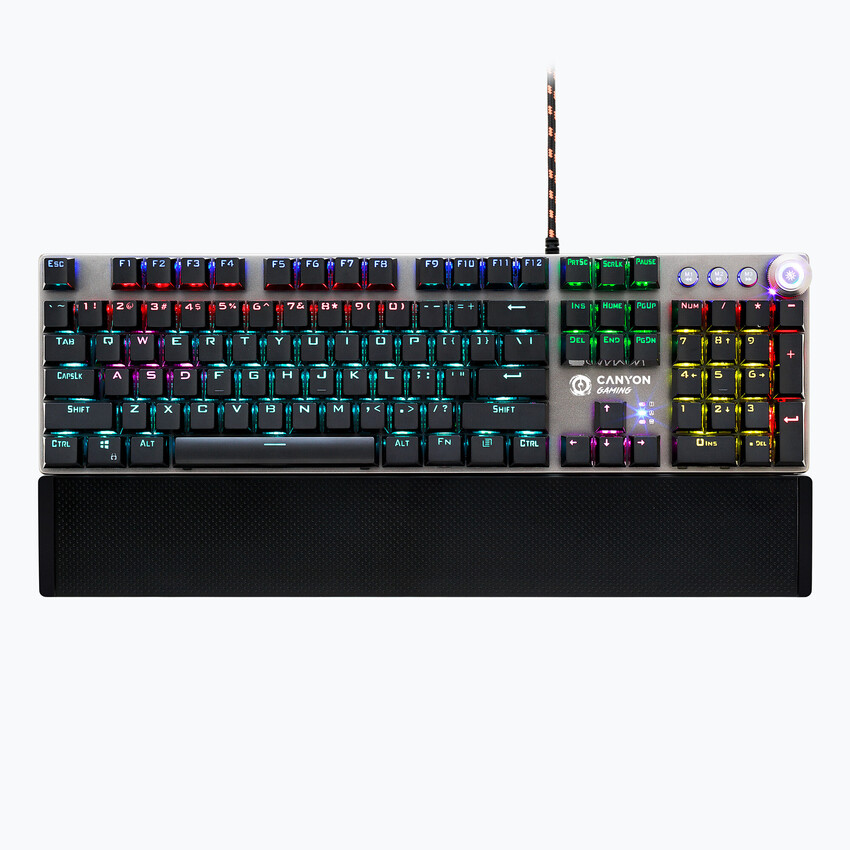
- Tenkeyless (TKL). Drops the number pad and gives your mouse more room. Canyon Cometstrike GK-50 uses this 87-key layout.
- Compact 75% and 60%. These also cut the function row and, on 60% boards, the arrow keys. They suit small desks and fit in a backpack.
Most mechanical boards use standard keycap mounts, so you can buy a new set in another colour, material or profile. Many add macros and per-key RGB backlighting with programmable profiles. The lighting helps you find WASD in the dark or keep editing shortcuts visible.
Membrane keyboards offer backlighting and media keys as well, often for less money. What you give up is the chance to change keycaps, switches or layout later. If you plan to keep a keyboard for years and adapt it as your habits change, mechanical gives you that room.
Which One Should You Buy?
For Gaming
Are mechanical keyboards better for gaming? In competitive play, yes. A linear switch registers at the same point every time, handles rapid taps and resets fast. Most mechanical gaming boards also support full N-key rollover, which registers every key you hold at once, even with W, Shift and Space down while you tap an ability key. A budget membrane board may drop one of those inputs. For casual games, a gaming membrane keyboard with anti-ghosting on the main keys covers you. Canyon Cometstrike boards with red linear switches suit shooters and MOBAs. The wireless Canyon Fortnax GKW-2, a membrane board, handles casual play on a smaller budget.
For Office and Open-Space Work
In an office, the people sitting around you effectively make this call. Leave clicky switches at home. A membrane keyboard or a mechanical board with red or silent switches keeps the noise down. The Canyon HKB-W01 Silent Wireless Keyboard also clears cables off a shared desk.
For Programming and Heavy Typing
If you type for six or more hours a day, a mechanical keyboard pays for itself in comfort. Many programmers prefer tactile switches, since you feel each press register without the noise of a click. Linear switches suit you if you like a smooth stroke. A TKL layout keeps your mouse closer to the keys and shortens the reach across your desk.
For Students and Budget Setups
A decent membrane keyboard costs €15–25 and handles essays, research and video calls. Entry-level mechanical boards now start below €50. If you type a lot or play in the evenings, the price gap is small enough to consider mechanical. Check the switch type first, because blue switches in a shared dorm room will test your roommate’s patience.
For Shared Spaces (roommates, family, night shifts)
When someone sleeps in the next room or shares your desk, noise comes first. Choose a membrane board or a mechanical keyboard with linear or silent switches, add O-rings if you still hear a thud, and skip anything clicky. A wireless model lets you move the keyboard off the desk when someone else needs the space.
Conclusion
Base the choice on how you use a keyboard. Gamers, programmers and heavy typists get the most out of mechanical switches. Office workers, students on a budget and anyone sharing a room often do better with a quiet membrane board. For layouts, connection types and ergonomics, see our Keyboard Buying Guide, and browse Canyon keyboards to compare models of both types.
 Angelina

 Herzberg